

Feature Highlights
Global Pool, Contextual Visibility
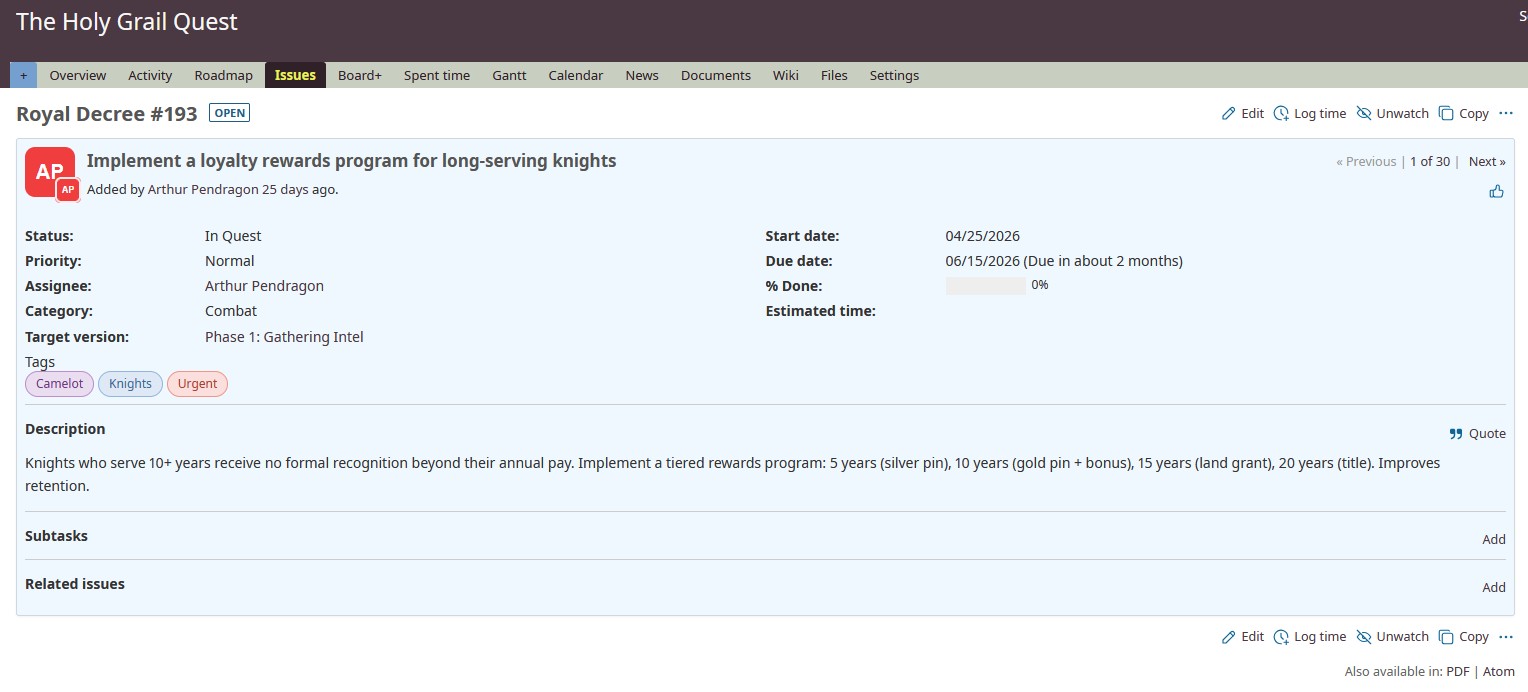
Tags exist at the instance level, like trackers and statuses. But when filtering or browsing, you only see tags used on issues you can access. A tag like "M&A-due-diligence" never appears outside its project.
Native Redmine Filters
Tags integrate directly into Redmine's standard filter system. Filter issues by tag using the same interface you already know: is, is not, contains, and all the operators Redmine provides.
Public and Private Tags
Public tags are shared across the team. Private tags are personal: only you see them, including from admins. Two separate pools, two separate lifecycles.
Color System with Project Overrides
Each tag has a global color. Project admins can override it locally. A tag can be red in one project and blue in another, without touching the global default.
What Makes It Different
| Advantage | Description |
|---|---|
| Global pool, not per-project | Tags are instance-wide (like trackers), not siloed per project (like categories). One tag vocabulary for your whole Redmine. |
| Leak prevention by design | No visibility flags to manage. Users only see tags that exist on issues they can access. Confidential project tags stay confidential automatically. |
| Native Redmine filters | Tags appear as a standard filter in the Redmine query system. Use all native operators (is, is not, contains, etc.) without learning a new interface. |
| Private tags | Personal tags invisible to everyone else, including admins. Organize your own workflow without cluttering the shared space. |
| Auto-cleanup | Tags are automatically deleted when removed from the last issue. No orphan tags accumulating over time, no admin cleanup needed. |
| Two-level colors | Global default color per tag, with optional per-project overrides. PowerPoint-style color picker with palettes, eyedropper, and HSV. |
Requirements & Compatibility
Tags+ is fully autonomous. No other MSS plugin required.
- Redmine 5.0 or higher
- No plugin dependencies
- Database migration required (tag tables)
Part of the Redmine+ line
Works great with Board+
Tags+ and Board+ are independent, but they complement each other. Tag your issues, then use Board+ to visualize them across 4 dimensions.
Explore Redmine+ →